
Table of Contents
- Are Social Media Gadgets Worth It: The Real ROI Question
- Essential Gadgets That Actually Impact Content Quality
- Viral Home Organization Gadgets: Separating Hype from Function
- Are Trending Kitchen Gadgets Worth It? A Practical Assessment
- How to Spot Fake Product Reviews Online Before You Buy
- The Skill-to-Gear Ratio: When You Don't Need Premium Equipment
- Integration Challenges and Hidden Costs
- Making the Right Choice for Your Content Strategy
Last Updated: August 19, 2026
Are Social Media Gadgets Worth It: The Real ROI Question
Whether social media gadgets worth it depends on your skill level, audience size, and goals. Before buying stabilizers, ring lights, or microphones, understand what actually moves the needle for content performance.
Most gadgets sit unused because they solve problems the creator doesn't have yet. A beginner with poor lighting doesn't need a $300 ring light; they need to learn how to position a simple lamp. A solo podcaster doesn't need a dual-channel wireless system before mastering their audio workflow.
The real ROI question isn't "Will this gadget improve my content?" It's "Will this gadget solve my specific bottleneck right now?"
Essential Gadgets That Actually Impact Content Quality
Some gadgets directly affect how your audience perceives your content. Others make your workflow faster without changing the final product. The ones worth buying do the first thing.
Stabilization is the clearest example. Shaky footage signals low production value regardless of everything else you're doing right. A gimbal or tripod fixes this instantly. Audio is second. Poor sound makes people leave faster than poor video. A decent microphone pays for itself in viewer retention. Lighting is third. It changes how you look on camera and how products appear in shots. These three categories genuinely improve content quality. Everything else amplifies what you're already doing well.
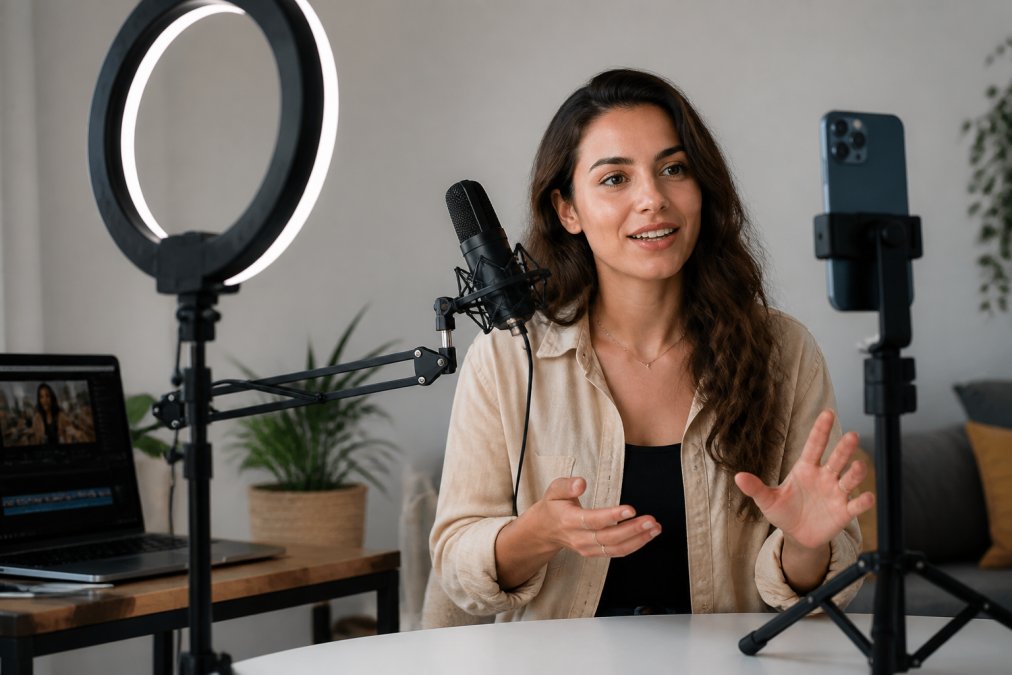
Stabilization Tools: Gimbal vs. Budget Tripods
Smooth footage is non-negotiable for social media. Viewers expect professional-grade stabilization, and shaky video reads as amateur.
The DJI Osmo Mobile 7 delivers cinema-quality stabilization for smartphone video. Its 3-axis gimbal eliminates shake, and ActiveTrack 7.0 automatically follows your subject. For vloggers working solo, this gimbal removes the "I need a camera operator" problem. Trade-off: you're dependent on the DJI Mimo app for advanced features.
Budget alternative: the JOBY GorillaPod 1K Kit costs less than half the price and works for phones and small cameras. Its flexible legs grip uneven surfaces, giving you creative angles a traditional tripod can't reach. Limitation: 2.2-pound weight capacity.
If you're filming solo and need to move while recording, the gimbal pays for itself. If you're setting up static shots, the GorillaPod is smarter spending.
:::pro Stabilization matters more than camera quality. A smartphone with gimbal stabilization beats a professional camera on a wobbly tripod. Viewers forgive lower resolution; they don't forgive shaky footage. :::
Audio Fidelity: Wireless Microphones and Podcast Equipment
Audio quality separates casual creators from people audiences trust. Poor sound makes people stop watching.
The Rode Wireless Go II is the industry standard for portable wireless audio. It's a dual-channel system with two clip-on transmitters, on-board recording as backup, and 200-meter range. For interviews, multi-person setups, and on-location filming, this system handles everything. Optional cables for phone connection are sold separately.
For podcasters and streamers at a desk, the Shure MV7 offers professional vocal clarity with both USB and XLR outputs. Auto Level Mode handles gain automatically. Sound quality is exceptional for voice content.
The real question: are you recording voice content that needs to travel (wireless) or voice content that stays in one place (USB microphone)? That determines which system makes sense.
Viral Home Organization Gadgets: Separating Hype from Function
Viral gadgets trend because they solve a real problem or are visually satisfying. The question isn't whether they're trendy, it's whether they solve YOUR problem.
Most viral home organization gadgets fall into two categories: space-saving containers and smart storage systems. Clear containers let you see what you have, and labeled systems keep things organized. Smart storage with apps and sensors often creates more work than it saves. The real ROI comes from matching gadgets to your actual space constraints. Before buying, measure your space, identify what you're storing, and test whether the gadget solves that specific problem.
Are Trending Kitchen Gadgets Worth It? A Practical Assessment
Kitchen gadgets trend because they're visually interesting and promise to save time. Some deliver. Most don't.
The gadgets worth buying do a single job better than existing tools. A quality vegetable spiralizer is worth it if you actually eat spiralized vegetables. A specialized microplane grater is worth it if you cook with nutmeg regularly. A single-function tool you'll use weekly pays for itself.
The gadgets not worth buying are "solution in search of a problem" tools. A garlic-peeling gadget that requires three hands isn't faster than using a knife. An air fryer that doesn't fit your cookware and takes up cabinet space isn't an upgrade if you already have an oven.
If a trending kitchen gadget does something you already do weekly and does it noticeably faster or better, it's worth testing. If it's solving a problem you don't have, it's not.
How to Spot Fake Product Reviews Online Before You Buy
Fake reviews have become sophisticated, but patterns separate real feedback from manufactured hype.
Real reviews contain specific details: "The microphone picked up my keyboard clicks until I added a foam cover." Fake reviews use generic language: "This product is amazing!" Real reviewers mention trade-offs. Fake reviewers only praise.
Check review velocity. If a product suddenly gets 50 five-star reviews in one week, something's off. Check reviewer history. An account with 200 five-star reviews across different products, all posted in the same week, isn't a real customer. Check for video reviews from actual users. Video reviews are harder to fake.
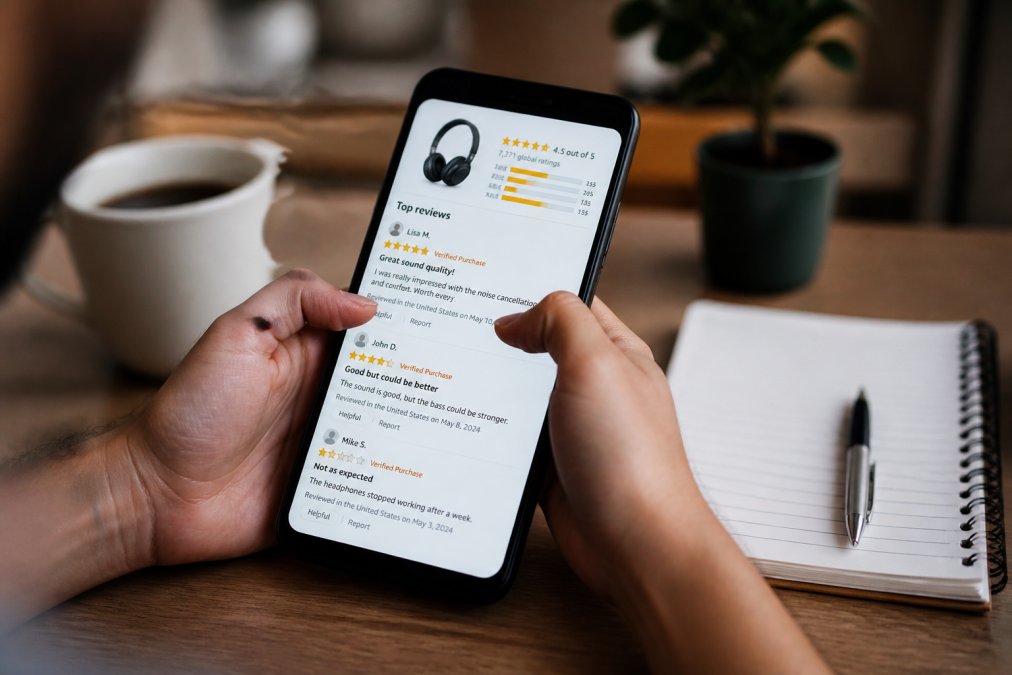
The fastest filter: does the review mention a problem? Real customers always mention at least one limitation. If every review is pure praise, the reviews are fake.
According to FTC guidance on endorsements and testimonials, companies that pay for reviews must disclose it. Look for "sponsored" or "ad" labels.
The Skill-to-Gear Ratio: When You Don't Need Premium Equipment
You don't need better equipment until your current equipment is holding you back.
A creator with poor lighting technique won't improve with a $300 ring light. They'll improve by learning how to position existing light sources. A podcaster with bad mic technique won't improve with a $299 wireless system. They'll improve by learning microphone placement. A videographer with poor framing won't improve with a gimbal. They'll improve by understanding composition.
If your limiting factor is technique, buying gear doesn't fix it. If your limiting factor is equipment, your phone camera can't handle low light, your microphone picks up every keystroke, your tripod won't hold steady, then gear makes sense.
Record content with what you have now. Analyze what specifically makes it worse than what you see from creators you respect. If the problem is something your current gear physically can't do, upgrade. If the problem is something you're doing wrong, practice first.
Most creators buy their way out of problems that would be cheaper to solve with skill development. Spend three months learning your current equipment before spending money on better equipment.
Integration Challenges and Hidden Costs
Gadgets rarely work in isolation. A gimbal needs compatible mounting hardware. A wireless microphone needs cables for your camera. A ring light needs a stand that fits your space. These hidden costs add up fast.
Before buying any gadget, research what else you'll need to make it work. A $60 gimbal might need a $30 phone mount, a $20 extension rod, and a $40 carrying case. That $60 purchase becomes $150.
Integration challenges also matter. A gadget that requires three different apps and manual syncing creates workflow friction. A gadget that works with one button press saves time. Before buying, check reviews specifically for integration issues and compatibility problems.
But the real hidden cost is time, learning new tools, troubleshooting compatibility, managing extra equipment. Factor that into your ROI calculation.
Making the Right Choice for Your Content Strategy
The decision to buy a gadget should follow a simple framework: identify your specific bottleneck, research whether the gadget solves that bottleneck, verify that you have the budget and space for integration, and test before committing to more purchases.
Start with the basics. Stabilization matters most for video content. Audio matters most for voice content. Lighting matters for anything visual. Those three categories deliver the highest ROI.
According to research on content creator spending from Influencer Marketing Hub, creators who focus on fundamentals before buying premium gear see better audience growth than creators who buy first and learn second.
Before you buy, ask yourself: What's the one thing holding back my content quality? Can this gadget fix it? Will I use it weekly? If the answer to all three is yes, it's probably worth buying. If you're hesitating on any of them, it's probably not.
Trending gadgets fill feeds because they're visually compelling, but trending doesn't mean practical. At Johnny Kash & Carry Co., we carry the gadgets creators actually use, with up to 45% off and fast, tracked shipping so you can test equipment without commitment. Our secure checkout and easy returns process mean you can try something and send it back if it doesn't solve your problem. Real support available seven days a week helps you figure out whether a gadget fits your workflow before you invest. Consumer Reports on product quality verification recommends testing products with clear return policies before committing to full-price purchases elsewhere. Start with the gadget that solves your immediate bottleneck, not the one that trends this week.
Frequently Asked Questions
Do social media gadgets actually improve audience engagement and retention?
Social media gadgets improve production value, which influences audience engagement when used correctly. Professional lighting, clear audio, and stable video footage increase viewer retention and watch time. However, the gadget itself doesn't create engagement, content strategy and audience understanding do. A well-produced video with poor messaging underperforms compared to authentic, lower-quality content with strong storytelling. The real ROI comes from combining gear with skill development.
How can you tell if a viral home organization gadget is actually high quality?
Look beyond social media aesthetics. Check if the product solves a real problem in your space, not just in a staged video. Read reviews from verified purchasers on multiple platforms, not just the seller's site. Examine product dimensions and weight limits carefully, viral gadgets often look compact in videos but take significant space. Research the brand's return policy and warranty. Cross-reference pricing across retailers to verify you're not paying inflated prices. Real quality shows consistency across independent reviews, not just influencer endorsements.
Are budget-friendly social media gadgets reliable enough for regular content creation?
Entry-level gadgets deliver solid results for consistent creators. A $50 tripod performs the core function as well as a $200 option for most users. Budget ring lights produce adequate illumination for social content. The trade-offs are durability, advanced features, and longevity, not immediate performance. Budget gear works best when you're committed to learning your craft first, then upgrading specific tools as your workflow demands it. Avoid budget options only if you're shooting professionally or need specialized features like dual-channel wireless audio or advanced stabilization.
What's the difference between a useful tool and a social media gimmick?
Useful tools solve specific, repeatable problems in your workflow. Gimmicks create one impressive moment but don't integrate into regular production. Test this: Can you use the gadget the same way in five consecutive content sessions, or does it only work in specific scenarios? Does it save time or just look good on camera? Does it require constant troubleshooting or setup? Real tools have consistent utility; gimmicks deliver novelty that fades after the first few uses. Read long-term reviews, not just unboxing videos.
This article was written using GrandRanker