
Table of Contents
- What You'll Need Before Starting a Return
- Understanding Online Return Policy Requirements
- Step-by-Step: How to Initiate Your Return Online
- How to Print a Return Shipping Label and Package Your Item
- Returning Online Purchases to a Physical Store
- Tracking Your Return and Understanding Refund Processing Time for Online Orders
- Common Mistakes to Avoid When Returning Items
- Conclusion
Last Updated: August 28, 2026
What You'll Need Before Starting a Return
Gather your original order confirmation email or order number, this is your proof of purchase and the fastest way to locate your order. Have the item available in the condition you plan to return it, along with any original packaging, tags, and accessories. Some retailers request photos of the item and its condition before approving a return. If the item arrived damaged or defective, document it with clear photos in good lighting. Ensure you have access to your email account associated with the purchase, where return confirmations, shipping labels, and refund updates will arrive.
Understanding Online Return Policy Requirements
Return policies vary significantly by retailer. Most major online retailers offer a 30-day return window from the purchase date, though some extend to 60 or 90 days during holiday seasons (the FTC). The policy should clearly state your return window, the deadline for initiating a return request, not necessarily when the item must arrive back.
Some retailers impose a restocking fee (a percentage deducted from your refund), while others offer free returns. Return shipping costs may apply unless the return is due to retailer error or a defective item. Digital goods and final sale items typically cannot be returned.
Check whether you'll receive a refund to your original payment method, store credit, or both, as this affects your refund processing timeline. Confirm whether the item must be in original packaging or if opened items are acceptable. Most retailers waive packaging requirements for defective items.
Step-by-Step: How to Initiate Your Return Online
Start by logging into your account on the retailer's website or app. Navigate to your order history or "My Orders" section, usually found in your account menu. Find the specific order containing the item you want to return.
Step 1: Check Your Return Window
Your return window typically starts from the purchase date, though some retailers count from the delivery date. Open your order details and look for the return window information, usually displayed prominently with the deadline date. If you're near the end of your return window, submit your request immediately.
If you're past the return window, contact customer service to ask about exceptions for defective or damaged items. Document any damage with photos and timestamps to strengthen your case.
Step 2: Gather Your Proof of Purchase
Your proof of purchase is your order confirmation, which contains your order number, purchase date, and itemized list. If you can't find the original email, log into your account and pull up the order details. Having both your email confirmation and order number prevents delays if the system requests additional verification.
Step 3: Log Into Your Account and Find Your Order
Navigate to your order history section. Click on the specific order you want to return. The order details page shows the purchase date, delivery date, items included, and price paid. This is where you'll find the "Return" or "Start Return" button.
If you can't locate the order, use the search function to filter by order number, item name, or date range. If the order isn't showing up, contact customer service, it may have been placed under a different email address.
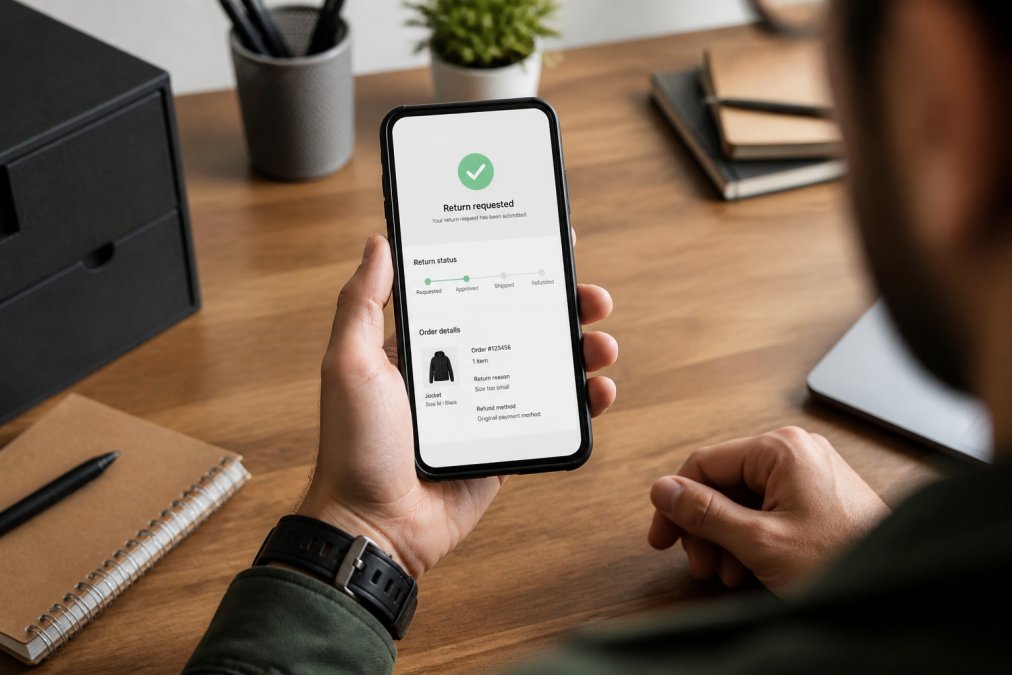
Step 4: Submit Your Return Request
Click the return button and select which items you want to return. Indicate your reason for the return (common options include "doesn't fit," "not as described," "changed my mind," "defective," or "damaged in shipping"). Be honest about your reason, as this affects refund eligibility.
The system will ask you to confirm the item's condition. Answer accurately, if you claim original condition but the item arrives used or damaged, the retailer may deny the refund. Submit your return request. Save the confirmation number and timestamp for future reference.
How to Print a Return Shipping Label and Package Your Item
Once your return request is approved, the retailer will provide a return shipping label, typically sent via email within hours or displayed in your account dashboard. The label contains a barcode, tracking number, and return address.
Printing Your Label
Download the return shipping label from your email or account's return management page. Print it on standard white paper using your home printer or a local library printer. The barcode must be clearly readable. If you lack printer access, visit a UPS, FedEx, or USPS location with your return confirmation or order number, and they'll generate a label on the spot.
Packaging and Labeling Best Practices
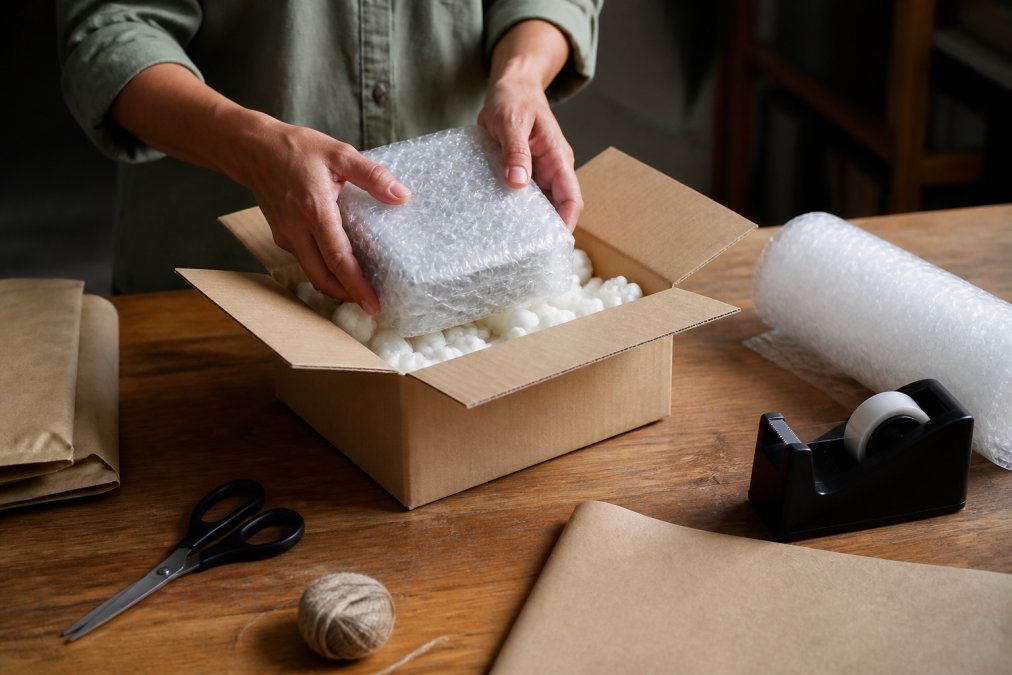
Place the item in a sturdy box or padded mailer. Use original packaging if available. If not, use a box slightly larger than the item to allow for cushioning material like bubble wrap or packing paper. Affix the return shipping label securely to the largest flat surface, ensuring the barcode is clearly visible and won't be obscured by tape or stickers.
Include only the item being returned and original accessories. Do not include personal notes or loose items unless the retailer specifically requests them.
Returning Online Purchases to a Physical Store
Many retailers offer the convenience of returning online purchases to physical store locations, eliminating the need for carrier drop-off services. This option is typically available for items purchased online from retailers with brick-and-mortar stores. In-store returns are often faster, with staff processing your return immediately and sometimes issuing refunds on the spot.
Check whether your retailer offers in-store returns on your return confirmation or in the return policy section. Some retailers require you to initiate the return online first, while others allow returns with just your receipt or order confirmation.
Bring the item in original packaging along with your order confirmation email (printed or on your phone) or receipt. If you initiated a return online, bring your return confirmation number or barcode. Visit a store location during business hours and ask staff where to process returns. In-store returns typically result in faster refund processing, sometimes within 24 hours for store credit, though original payment method refunds may take 3-5 business days.
Tracking Your Return and Understanding Refund Processing Time for Online Orders
After dropping off or shipping your return, track your package using the tracking number on your return shipping label. Enter this number on the carrier's website to see real-time updates on your package's location and expected delivery date to the retailer's warehouse.
Refund processing time depends on when the retailer receives and scans your package, how long their inspection takes, and whether they need to verify the item's condition. Most retailers process refunds within 5-7 business days after receiving your return, though some take up to 14 days (the FTC). Store credit refunds typically process faster than original payment method refunds.
Once your return is approved, the retailer will send a refund confirmation email with the refund amount and expected arrival date. Store credit typically appears in your account immediately. Refunds to your original payment method may take an additional 3-5 business days depending on your bank's processing time (federalreserve.gov).
If your tracking shows the package was delivered to the retailer's warehouse but you haven't received a refund confirmation after 10 business days, contact customer service with your return tracking number and original order number.
Common Mistakes to Avoid When Returning Items
Submit your return request as soon as you decide to return an item, ideally within the first 14 days of your return window. Waiting until the last day leaves no buffer for delays or additional information requests.
Return items in the best condition possible. Even if the retailer accepts used items, heavily used returns signal you're taking advantage of their policy and may result in restocking fees or denial.
Keep your return confirmation number and tracking information. Screenshot your confirmation and save your tracking number in a note or email it to yourself. This information is essential if you need to track your return or dispute a refund.
Always use the return label provided by the retailer. Using the original shipping label or a label from a different order sends your package to the wrong destination.
Do not include personal items, notes, or receipts loose in the package. If you need to include anything, place it in a sealed plastic bag inside the package.
Be honest about the item's condition when initiating the return. If the item arrives at the retailer's warehouse in worse condition than reported, they may deny your refund or issue a partial refund.
If you're past the return window, contact customer service before shipping your return. They may grant an exception for defective items, and you'll avoid the frustration of a rejected return.
Returning online shopping items doesn't have to be complicated. At Johnny Kash & Carry Co., we understand that returns are part of the online shopping experience, and we've designed our process to be straightforward and customer-friendly. Our easy returns process means you can shop with confidence, knowing that if something doesn't work out, getting your refund is simple. With fast, tracked shipping on every order and real support available seven days a week, we're here to make sure your return experience is as smooth as your initial purchase. Start your return today and get back to enjoying the trending gadgets and essentials that matter to you.
Frequently Asked Questions
How long does it typically take to receive a refund for an online return?
Refund processing time for online orders varies by retailer and payment method. Most companies process refunds within 5-10 business days after receiving your returned item. However, it can take an additional 3-5 business days for the funds to appear in your original payment method or bank account. Some retailers offer store credit as a faster alternative. Always check your return confirmation email for the specific refund processing timeline, and contact customer service if your refund hasn't appeared within the stated window.
Can I return an online purchase to a physical store location?
Many retailers allow returns of online purchases at physical store locations, but policies vary significantly. Some offer this service for free, while others may charge a restocking fee or require the original packaging. Before attempting an in-store return, check the retailer's return policy or contact customer service to confirm eligibility. Bring your order confirmation, receipt, or transaction ID, and ensure the item is in its original condition. Not all items purchased online are eligible for in-store returns, particularly those from third-party sellers or clearance sections.
What should I do if I lost my return shipping label?
If you've lost your return shipping label, log back into your account on the retailer's website and access your return portal to reprint it. Most retailers allow you to print replacement labels multiple times. If you can't locate it online, contact customer service with your order number or transaction ID, and they'll email you a new label. Some retailers will cover return shipping costs if you use their provided label, but you may be responsible for costs if you arrange your own carrier. Keep the new label in a safe place and photograph it before shipping.
Are there items that cannot be returned after being purchased online?
Yes, many items are marked as final sale or non-returnable. Common non-returnable categories include clearance items, digital goods, customized or personalized products, swimwear, intimate apparel, and items that show signs of wear or damage beyond normal inspection. Some retailers also restrict returns on items purchased during specific sales or promotions. Always review the product listing and return policy before buying. If an item arrives defective or damaged, it's typically returnable regardless of final sale status. Check your order confirmation email for any restrictions specific to your purchase.
This article was written using GrandRanker