
Table of Contents
- Why Returning Trending Social Gadgets Is Different
- Before You Buy: Identifying Scam Gadget Websites
- Step 1: Check Your Return Window and Eligibility Criteria
- Step 2: Prepare Your Merchandise for Return
- Step 3: Initiate Your Return Request and Get a Return Authorization
- Step 4: Ship Your Gadget Back Using Trackable Shipping
- How to Dispute a Charge for a Defective Gadget
- Understanding Social Media Store Return Policy
Last Updated: August 6, 2026
Why Returning Trending Social Gadgets Is Different
Returning trending social gadgets differs from standard returns because they often come from smaller retailers, dropshippers, or international sellers with varying policies. Some offer 30-day returns with free shipping; others enforce strict 14-day windows and charge restocking fees. Understanding your specific seller's return policy before you buy saves time, money, and frustration.
This guide walks you through the complete process of returning trending social gadgets, from checking eligibility to shipping merchandise back and disputing charges if needed.
Before You Buy: Identifying Scam Gadget Websites
Many scam gadget websites use trendy product photos and aggressive discounts to lure buyers, then ship counterfeit merchandise, delay shipments, or disappear after payment.
Check these red flags before buying:
Domain and company information. Legitimate retailers display a physical address, phone number, and clear company name. Scam sites hide contact information or list generic addresses. Look for "About Us" pages explaining the company's history.
SSL encryption and secure checkout. Legitimate websites use HTTPS (not HTTP) and display a padlock icon in your browser's address bar. If a site lacks this basic security, avoid it.
Return policy visibility. Legitimate sellers post return policies prominently, usually in the footer or a dedicated page. Scam sites often hide or omit return policies entirely.
Customer reviews and social proof. Check independent review sites, social media, and Google Business profiles for patterns of complaints about non-delivery, counterfeit products, or refused refunds.
Payment methods. Reputable retailers accept major credit cards, PayPal, and established payment systems. Scam sites often demand wire transfers, cryptocurrency, or gift cards, untraceable payment methods.
Shipping claims. Be skeptical of promises like "free worldwide shipping on all orders" or "arrives in 2 days guaranteed." Legitimate sellers are transparent about shipping times and costs.
Step 1: Check Your Return Window and Eligibility Criteria
Before initiating a return, verify that your purchase falls within the seller's return window and meets eligibility requirements.
Find your return window. Your return window is the number of days from purchase or delivery during which you can initiate a return. Most retailers offer 30 days; some offer 14 or 60 days. Check your order confirmation email or the website's return policy page for the exact window.
Determine your eligibility. Common exclusions include items used beyond normal wear, merchandise without original packaging, products purchased during clearance or final-sale events, and units damaged by the customer. If your gadget arrived defective, screen won't turn on, buttons are broken, or it malfunctions immediately upon unboxing, you're almost certainly eligible for return or replacement.
Verify proof of purchase. You'll need your transaction ID, order number, or email confirmation. If you received the gadget as a gift and lack the original receipt, contact customer support; they can often look up the order using the recipient's email or phone number.
Check for restocking fees. Some sellers deduct a restocking fee (typically 10-20%) from your refund to compensate for processing and re-listing. These fees should be disclosed in the return policy before you buy.
Step 2: Prepare Your Merchandise for Return
Once you've confirmed eligibility, prepare the gadget for shipment properly.
Inspect the gadget for damage. Examine the merchandise for any damage you may have caused. Take photos of the condition; these serve as evidence if there's a dispute about the merchandise's state.
Factory reset and data privacy. If the gadget is a smart device or has a digital interface, factory reset it before returning. This removes your personal data, Wi-Fi passwords, and linked accounts, protecting your privacy and ensuring the seller receives a clean device.
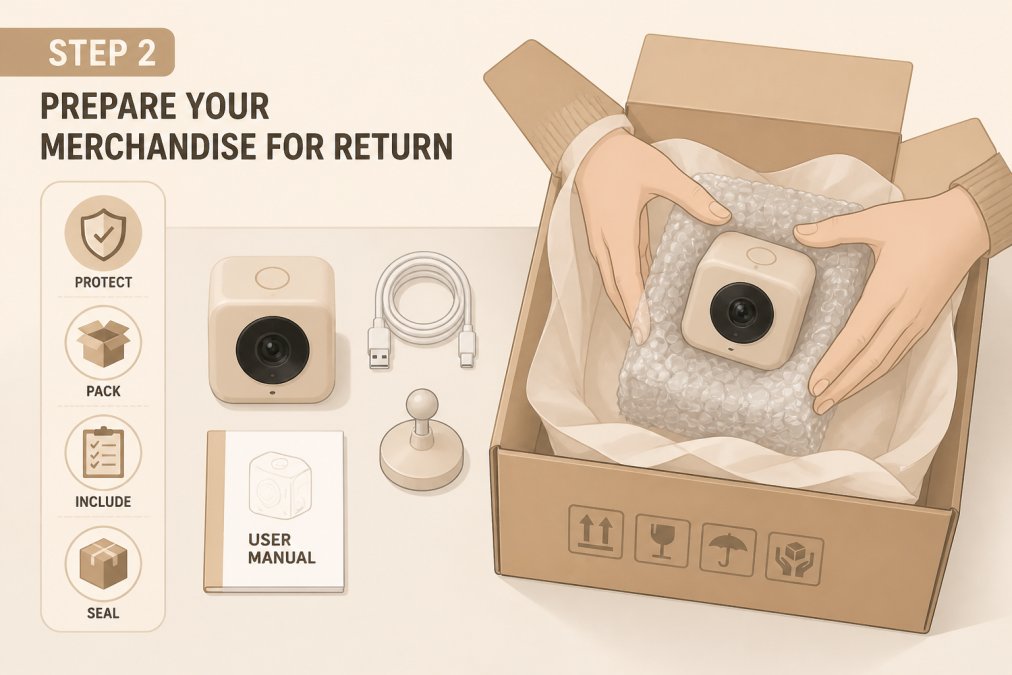
Gather original packaging and accessories. Return the gadget in its original packaging whenever possible. Include all original accessories, charging cables, instruction manuals, warranty cards, and promotional items. Missing accessories may result in a restocking fee or partial refund.
Document the merchandise condition. Take clear photos of the gadget, packaging, and all accessories before sealing the box. Include photos showing the serial number. These photos prove what you shipped if the seller disputes the merchandise's condition.
Obtain a return merchandise authorization (RMA) number. Contact the seller and request an RMA number before shipping. This unique code identifies your return and ensures proper logging in the seller's system. Include the RMA number on the shipping label and inside the package.
Step 3: Initiate Your Return Request and Get a Return Authorization
Initiating a return request officially starts the process.
Contact the seller's customer support. Most retailers have a "Returns" or "Contact Us" page. Submit your return request through their online form, email, or live chat. Provide your order number, transaction ID, and reason for the return.
Request a return authorization number. The seller should provide an RMA number via email, confirming your return has been approved and logged. Write this number down and keep the email for tracking and verification.
Confirm shipping instructions. Ask the seller for their preferred return shipping address and whether they cover return shipping costs. Clarify this before shipping.
Understand the refund timeline. Most sellers process refunds within 5-10 business days of receiving returned merchandise, then 3-5 business days for the refund to appear in your account. Total timeline: typically 10-15 days from when the seller receives your package.
Step 4: Ship Your Gadget Back Using Trackable Shipping
Shipping your return properly ensures it reaches the seller and you can prove delivery.
Choose a trackable shipping method. USPS Priority Mail Express, UPS, and FedEx all provide tracking numbers. These services cost more than standard shipping but are essential for returns. You can track your package in real-time, and if it gets lost, you have proof of shipment.
Print a shipping label with the RMA number. Write the RMA number clearly on the shipping label and on a label inside the package. This redundancy ensures the seller identifies your return even if the outer label gets damaged.
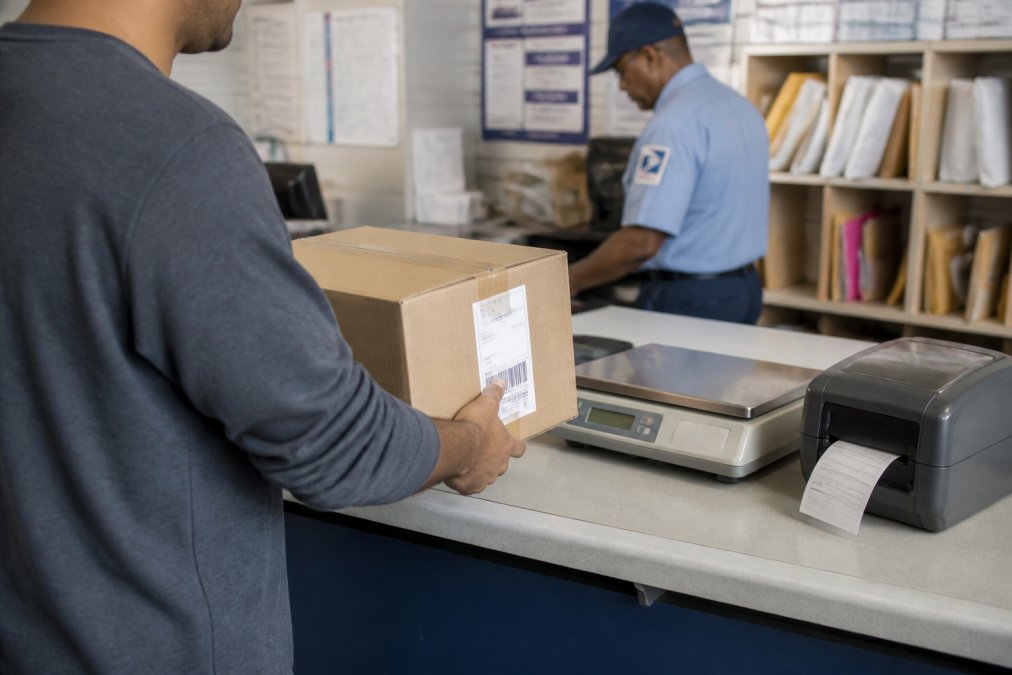
Insure high-value merchandise. If your gadget is worth more than $100, purchase shipping insurance. This protects you if the package is lost or damaged in transit.
Ship from an authorized location. Use an official USPS, UPS, or FedEx location. Official locations provide receipts and confirm your package was scanned into the system.
Keep your tracking number. Save the tracking number, receipt, and shipping label. Check tracking status regularly to confirm delivery. Take a screenshot once the tracking shows "Delivered."
Follow up if delivery is delayed. If your package doesn't arrive within the expected timeframe, contact the shipping carrier immediately. If the package is confirmed lost, file a claim with the carrier and contact the seller's customer support.
How to Dispute a Charge for a Defective Gadget
If you received a defective gadget and the seller refuses to issue a refund or replacement, you can dispute the charge with your payment processor.
Document the defect. Take clear photos and videos showing the defect. Record yourself attempting to turn on the gadget or show broken buttons close-up. Photograph packaging and merchandise damage. This documentation is critical for your dispute.
Contact the seller first. Give the seller one final opportunity to resolve the issue. Send a detailed email explaining the defect and requesting either a refund or replacement. Set a deadline of 7-10 days. Keep this email as evidence.
File a dispute with your payment processor. If the seller doesn't respond or refuses to help, contact your credit card company or PayPal. Explain that you received a defective product and the seller won't issue a refund. Provide your documentation: photos, videos, emails, and proof of purchase.
Submit evidence to your payment processor. Most payment processors ask for photos, order confirmations, and correspondence with the seller. Submit everything; the more evidence you provide, the stronger your dispute.
Understand chargeback timelines. Credit card companies typically investigate disputes within 30-60 days. PayPal usually resolves disputes faster, sometimes within 10-20 days.
Understanding Social Media Store Return Policy
Many trending gadgets are sold through social media stores with their own return policies, which often differ from traditional retailers.
TikTok Shop return policy. TikTok Shop allows returns within 7-30 days depending on the seller. You initiate returns directly through the TikTok app. Once approved, you print a shipping label and send the merchandise back. Refunds typically process within 5-7 business days after the seller receives your return.
Instagram Shop return policy. Instagram Shop returns are handled by the individual seller, not Instagram itself. Return windows vary by seller. Check the product listing for the seller's specific return policy before purchasing.
Facebook Marketplace return policy. Facebook Marketplace doesn't have a standardized return policy. Returns are negotiated directly between buyer and seller. This makes Facebook Marketplace riskier for trending gadgets; verify the seller's reputation before buying.
Amazon and third-party sellers. If buying through Amazon from a third-party seller, returns go through that seller's process. Amazon provides buyer protection, but processing times may be longer. Always check the seller's return policy on their product listing.
Dropshipped items and international sellers. Many trending gadgets are dropshipped from international warehouses with stricter return policies, sometimes 14 days only, with the buyer covering return shipping. International returns can take 4-8 weeks to process.
Returning trending social gadgets doesn't have to be stressful when you know the process. Start by verifying the seller's legitimacy and return policy before you buy. Prepare your merchandise carefully, maintain documentation, and use trackable shipping. If disputes arise, you have recourse through chargebacks and payment processor protections.
| Step | Action | Timeline |
|---|---|---|
| 1 | Check return window and eligibility | Before initiating return |
| 2 | Prepare merchandise and gather accessories | Same day |
| 3 | Contact seller and obtain RMA number | 1-2 business days |
| 4 | Ship using trackable method | 1-3 business days |
| 5 | Track delivery and confirm receipt | 5-10 business days |
| 6 | Receive refund in your account | 3-5 business days after receipt |
Frequently Asked Questions
What if I've already thrown away the original packaging? Contact the seller immediately. Some accept returns without original packaging but may deduct a restocking fee. Asking upfront prevents rejection at the warehouse.
Can I return a gadget if I've used it? Yes, if it's defective or doesn't work as advertised. If it works fine but you changed your mind, return eligibility depends on the seller's policy. Check before buying.
How long does it take to get my refund? Typically 10-15 days total: 5-10 days for the seller to process the return after receiving it, plus 3-5 days for the refund to appear in your account.
What's a restocking fee and why do sellers charge it? A restocking fee (usually 10-20%) compensates the seller for inspecting, cleaning, and re-listing returned merchandise. It should be disclosed before you buy. If a gadget is defective, most sellers waive the restocking fee.
Can I dispute a charge if the seller won't refund me? Yes. Contact your credit card company or PayPal and explain that you received a defective product or the seller refused to honor their return policy. Provide documentation. Your payment processor can reverse the charge.
Frequently Asked Questions
What is the typical return window for trending social gadgets?
Most retailers offer a 30-day return window from the date of purchase, though some extend to 60 days for defective merchandise. Always check your receipt or confirmation email for the exact return window and proof of purchase details. The return authorization number is typically required within this timeframe to qualify for a refund or exchange.
How do I know if a social media gadget store is legitimate before buying?
Look for secure checkout with Shopify encryption or similar payment protection, a clear return policy posted on the website, real customer reviews on independent sites, and a physical address and contact information listed. Avoid sites that pressure you to buy immediately or offer prices that seem unrealistically low. Check the domain registration age and read recent customer feedback about shipping and refund processing.
Do I have to pay for return shipping on trending gadgets?
This depends on the reason for return. If the merchandise arrived defective or damaged, most retailers cover return shipping costs. If you're returning a gadget simply because you changed your mind, you may be responsible for shipping costs. Some stores provide a prepaid shipping label; others require you to pay upfront and request reimbursement. Always verify the specific policy for your purchase before initiating a return request.
What should I do if a social media store refuses my return?
First, verify you meet the return eligibility criteria: within the return window, merchandise in acceptable condition, with original packaging and accessories. If you believe the refusal is unfair, contact customer support with your transaction ID and proof of purchase. If the retailer continues to refuse, you can dispute the charge with your credit card company or payment processor, providing documentation of the defective merchandise or the retailer's failure to honor their stated return policy.
This article was written using GrandRanker