
Table of Contents
- Step 1: How to Find Your Tracking Number After You Order
- Step 2: How to Track Packages from Retailers Using Any Carrier Portal
- Step 3: Universal Package Tracking Apps That Cover Every Retailer
- Step 4: Set Up Real-Time Delivery Notifications So You Never Miss an Update
- Step 5: Tracking Non-Standard and Last-Mile Carriers
- USPS Tracking Not Updating: How to Fix Common Shipment Status Problems
- How to Track Packages from Retailers Across Multiple Orders at Once
- Common Mistakes to Avoid When Tracking a Parcel
Last Updated: August 2, 2026
Knowing how to track packages from retailers is one of those skills that sounds simple until your parcel disappears into a logistics black hole three days before you needed it. At Johnny Kash & Carry Co., every order ships with full tracking included, because we know that "your package is on its way" is not an answer. Below, we break down exactly how to find your tracking number, read shipment status updates, fix common carrier problems, and manage multiple deliveries at once.
Most tracking guides assume you already have a tracking number. Many shoppers confuse their order number with an actual tracking number, wait days for updates that will never come, and blame the carrier for a problem that started at checkout. That distinction alone will save you hours of frustration.
Step 1: How to Find Your Tracking Number After You Order
Your tracking number is a unique alphanumeric code assigned by the shipping carrier, not the retailer, that allows any carrier portal or third-party app to pull real-time transit data for your specific parcel.
Finding it is straightforward:
- Check your order confirmation email. Most retailers send a separate shipping confirmation email within 24-48 hours of dispatch.
- Log into your account on the retailer's website and navigate to "Order History" or "My Orders."
- Look for a "Track Shipment" button or hyperlinked tracking number.
- If no link appears, copy the tracking number and paste it into the carrier's website manually.
Order Number vs. Tracking Number: They Are Not the Same
An order number is an internal reference assigned by the retailer. It has no meaning to UPS, FedEx, USPS, or any carrier. Entering an order number into a carrier portal will return zero results.
A tracking number is generated by the carrier when a shipping label is created. It follows the parcel through every scan point from the fulfillment center to your front door. USPS tracking numbers are typically 20-22 digits, UPS tracking numbers start with "1Z," and FedEx tracking numbers are 12 or 15 digits.
Using Your Email Confirmation Link to Locate Shipment Details
Most retailers embed a direct tracking link in the shipping confirmation email. Clicking it routes you to a co-branded tracking page that pulls live data from the carrier. If that link returns an error, copy the tracking number from the email and go directly to the carrier's website.
Step 2: How to Track Packages from Retailers Using Any Carrier Portal
Every major carrier operates a free public tracking portal. You do not need an account to use them.
| Carrier | Tracking Portal | Tracking Number Format |
|---|---|---|
| USPS | usps.com/track | 20-22 digits |
| UPS | ups.com | Starts with "1Z" |
| FedEx | fedex.com | 12 or 15 digits |
| DHL | dhl.com | 10 digits |
| OnTrac | ontrac.com | Starts with "C" |
| LaserShip | lasership.com | Alphanumeric |
Paste your tracking number into the carrier's search bar and the portal returns a full package history: every scan event from label creation through final delivery confirmation.
Carrier Auto-Detection: Let the System Identify Your Courier
Auto-detection reads a tracking number's format and length to identify the carrier automatically. You do not need to know whether your parcel is moving via USPS, UPS, or FedEx. This is useful when a retailer's shipping confirmation email does not specify which carrier is handling the delivery.
Reading Your Package History and Delivery Exception Alerts
Package history is a chronological log of every scan event your parcel has triggered. Common statuses include:
- Label Created: The shipping label exists, but the carrier has not physically scanned the parcel yet.
- In Transit: The parcel is moving through the carrier's network.
- Out for Delivery: The parcel is on a delivery vehicle in your area.
- Delivery Exception: Something interrupted normal delivery. Common causes include an incorrect address, a missed delivery attempt, or a weather delay.
- Delivered: The carrier logged a delivery scan.
A delivery exception is not a crisis. Check the carrier portal for the specific reason code and follow the instructions.
Step 3: Universal Package Tracking Apps That Cover Every Retailer
Universal package tracking apps consolidate shipments from multiple retailers and carriers into a single dashboard. The most widely used options in the US include Aftership, Parcels, Deliveries, and Shop (by Shopify). Each connects to dozens of carriers and pulls shipment status updates automatically once you enter a tracking number.
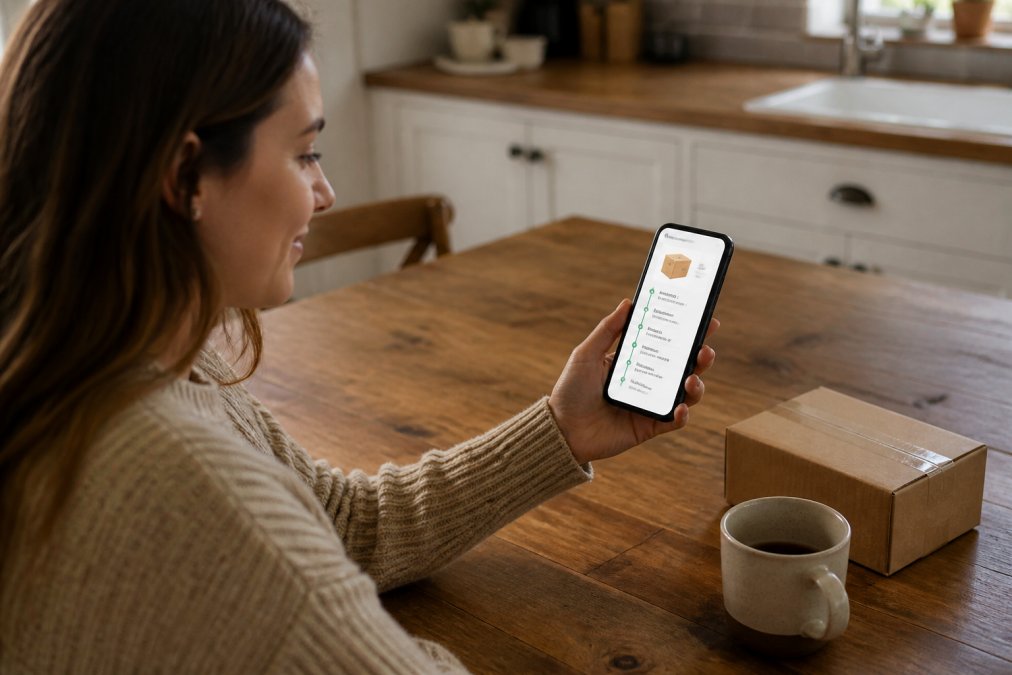
According to USPS Postal Facts annual data, the USPS alone handles billions of package deliveries annually, illustrating why a single-carrier portal is rarely enough for active online shoppers managing orders from multiple retailers.
Privacy and Data Security: What Tracking Apps Actually Collect
Most universal tracking apps request access to your email inbox to automatically detect new tracking numbers. That means granting a third-party app read access to your entire email account, not just shipping confirmations. Before connecting any app to your inbox, read its privacy policy and check what data it retains or shares.
A safer approach: use apps that accept manual tracking number entry rather than inbox scanning.
The FTC's guidance on mobile app privacy recommends reviewing app permissions carefully before installation.
Step 4: Set Up Real-Time Delivery Notifications So You Never Miss an Update
Real-time delivery notifications are push alerts or email messages triggered automatically by carrier scan events. Setting them up takes under five minutes.
Here is how to configure notifications:
- Carrier portals: USPS, UPS, and FedEx all offer free email and SMS notification enrollment directly on their websites.
- Retailer accounts: Log into your account settings and enable order status notifications.
- Tracking apps: Apps like Aftership send push notifications to your phone at each status change.
The most useful alert types to enable: "Out for Delivery" and "Delivery Exception." The first tells you to be available; the second tells you something needs your attention.
Step 5: Tracking Non-Standard and Last-Mile Carriers
Last-mile delivery is the final leg of a shipment's journey, typically handled by a regional carrier or gig-economy logistics provider rather than USPS, UPS, or FedEx. Tracking visibility often collapses here.
Carriers like OnTrac, LaserShip, LSO, and Amazon Logistics handle significant last-mile volumes. Their tracking portals exist but are less polished, and their scan frequency is often lower, meaning longer gaps between status updates.
If your tracking number returns no results on major carrier portals:
- Search the tracking number format against a carrier identification guide.
- Go directly to that carrier's tracking portal.
- If the portal still shows no results within 48 hours of the estimated dispatch date, contact the retailer's support team.
International Orders: Customs Clearance and Duty Tracking
International shipments enter customs clearance, a process managed by US Customs and Border Protection. Tracking updates pause during this period, sometimes for several days, which is normal.
To track an international shipment through customs:
- Use the carrier's international tracking portal.
- Check the US Customs and Border Protection import tracking resources for customs hold reasons and expected clearance timelines.
- If duties or taxes are owed, the carrier or a customs broker will contact you before releasing the parcel.
Tracking stalls at "Customs Clearance" for longer than 10 business days warrant a direct inquiry to the carrier's international support line.
USPS Tracking Not Updating: How to Fix Common Shipment Status Problems
USPS tracking not updating is usually caused by one of three things: the label was created but the parcel has not been inducted into the postal network yet, the parcel passed through a facility without being scanned, or there is a system delay in USPS's tracking database.
Here is a practical fix sequence:
- Wait 24 hours after the "Label Created" status before assuming a problem exists.
- After 48 hours of no movement, contact the retailer to confirm whether the parcel was physically handed to USPS.
- After 5 business days of no movement on a domestic shipment, file a USPS Missing Mail search at usps.com.
- For Priority Mail and Priority Mail Express shipments, USPS offers a money-back guarantee for delays.
What to Do When a Package Is Marked Delivered but Not Received
A parcel marked "Delivered" but absent from your door is frustrating. The delivery scan is logged when the carrier's driver scans the parcel, which sometimes happens before the parcel physically reaches your address.
Take these steps in order:
- Check all delivery locations: front porch, side door, mailbox, building mailroom, and any secure parcel lockers.
- Check with neighbors.
- Wait 24 hours. Carriers occasionally scan parcels as delivered before completing the final drop.
- Contact the carrier directly with your tracking number and request a delivery investigation.
- If the carrier cannot resolve the issue, contact the retailer. Most retailers will reship or refund a parcel that cannot be confirmed as delivered to your address.
How to Track Packages from Retailers Across Multiple Orders at Once
Managing multiple shipments manually across different carrier portals is inefficient. A universal tracking dashboard solves this by pulling all active shipments into one view.
The most practical setup for active online shoppers:
- Use a single tracking app and enter every tracking number as soon as you receive a shipping confirmation.
- Enable consolidated daily digest notifications rather than per-event alerts.
- Archive completed deliveries so the dashboard only shows active shipments.
For shoppers who order frequently from a single retailer, the retailer's own account dashboard is often the cleanest option.
Common Mistakes to Avoid When Tracking a Parcel
Most tracking problems are self-inflicted. Here are the mistakes that create the most unnecessary stress:
| Mistake | Fix | Impact |
|---|---|---|
| Entering the order number in a carrier portal | Use only the carrier-assigned tracking number | Eliminates "no results" errors |
| Checking tracking within 24 hours of label creation | Wait 24-48 hours for the first scan event | Reduces false alarms |
| Ignoring delivery exception alerts | Act on exception codes within 24 hours | Prevents returned parcels |
| Granting inbox access to tracking apps | Use manual entry apps instead | Protects email privacy |
| Contacting the retailer before the carrier | Contact the carrier first for transit issues | Faster resolution |
| Assuming "Delivered" means at your door | Check all delivery points before escalating | Avoids unnecessary disputes |
The carrier is responsible for the parcel once it leaves the fulfillment center, but the retailer is your primary point of contact for resolution. If a carrier investigation stalls, escalate back to the retailer.
For broader context on consumer rights when shipments go wrong, the Federal Trade Commission's guide to online shopping outlines what retailers are legally required to do when orders are not delivered as promised.
Keeping track of every parcel across multiple retailers and carriers is a real logistical challenge, especially when orders are time-sensitive. At Johnny Kash & Carry Co., tracked shipping is included on every order as standard, with real-time status visibility from the moment your parcel leaves our fulfillment center. Every order ships with a confirmed tracking number sent directly to your email, backed by seven-days-a-week support if anything goes sideways. Visit Johnny Kash & Carry Co. to place your next order and experience full delivery visibility from checkout to doorstep.
Frequently Asked Questions
How do I track packages from multiple retailers in one place?
Use a universal package tracking app such as Parcel, Deliveries, or Shop. These apps scan your email inbox for order confirmation messages, pull the tracking numbers automatically, and display every shipment's status in a single dashboard. You can also forward confirmation emails to some services and they will add the parcel manually. This approach works across USPS, UPS, FedEx, and most regional carriers without switching between separate tracking portals.
How do I find my tracking number if I lost the confirmation email?
Log into your retailer account and open the Orders or Purchase History section. Most retailers post the tracking number on the order detail page once the label is created. If it is not there, search your email inbox for words like 'shipped,' 'dispatch,' or the retailer's name. As a last resort, contact the retailer's customer support with your order number and they can resend the tracking link or look up the shipment status on their end.
Why is my USPS tracking not updating for days?
USPS tracking can stall for several reasons: the package may not have been scanned at every facility, it could be delayed at a distribution center, or the shipping label was created but the parcel has not yet entered the postal network. Wait 24 to 48 hours after the last scan before escalating. If there is still no update after 48 hours, file a Missing Mail search request directly on the USPS website using your tracking number and shipment details.
Can I track an international package from a US retailer through customs?
Yes. Once your parcel leaves the US, the tracking number typically transfers to the destination country's postal carrier. Tools like 17TRACK and Parcel Monitor support customs clearance visibility for international shipments. You can also check the USPS International tracking portal for packages sent via USPS. Note that customs delays are not always reflected in real-time updates, so a gap of several days in the tracking history during the clearance stage is normal.
What should I do if my package shows delivered but I never received it?
Check around your property first, including with neighbors or a building mail room, since carriers sometimes scan a package as delivered before completing the final drop. Then contact the retailer's support team within 24 to 48 hours and report the issue with your order number and tracking number. File a claim with the carrier as well. Many retailers, including those with tracked shipping on every order, will investigate and arrange a replacement or refund if the carrier confirms a delivery exception.
Are package tracking apps safe to use with my email account?
Most reputable tracking apps request read-only access to your inbox to find order confirmation emails. Before granting access, review the app's privacy policy to confirm it does not sell your purchase data to third parties. Stick to apps listed on the Apple App Store or Google Play with strong user reviews. You can also forward confirmation emails to a dedicated secondary email address and connect only that account to the tracking app, keeping your primary inbox credentials separate.
This article was written using GrandRanker