
Table of Contents
- What Is Encrypted Checkout and Why It Matters
- How SSL/TLS Encryption Protects Your Payment Data
- How to Identify a Secure Website Before You Buy
- Tokenization and Fraud Detection: Your Hidden Security Layers
- Safest Online Payment Methods in 2026
- PCI DSS Compliance Requirements and What They Mean for You
- Mobile Checkout Security and Post-Transaction Protection
- Conclusion
Last Updated: August 8, 2026
What Is Encrypted Checkout and Why It Matters
Encrypted checkout scrambles your financial information during transmission, making it unreadable to unauthorized parties. When you enter credit card details on a website with encryption enabled, that data travels through a protected tunnel rather than as plain text across the internet.
Every online purchase transmits sensitive information: card number, expiration date, CVV, billing address, and sometimes your Social Security number. Without encryption, hackers could intercept this data between your device and the merchant's server. Identity theft, fraudulent charges, and data breaches occur when checkout processes lack proper security. At Johnny Kash & Carry Co., we've invested in secure, encrypted checkout protected by industry-standard protocols to ensure your peace of mind.
This guide breaks down the technical protections behind encrypted checkout, shows you how to spot a secure website, and explains why the security measures you can't see are just as important as the padlock icon you can.
How SSL/TLS Encryption Protects Your Payment Data
SSL (Secure Sockets Layer) and its successor TLS (Transport Layer Security) are cryptographic protocols that create an encrypted connection between your browser and a website's server. When you visit a checkout page protected by SSL/TLS, your browser and the server perform a "handshake," establishing a secure tunnel. Everything you type travels through that tunnel in encrypted form, unreadable to anyone monitoring the network.
Your browser generates a unique encryption key for that session, and the server verifies its identity using a digital certificate. Once both parties confirm legitimacy, they agree on encryption standards. All data between you and that server is then scrambled using algorithms that would take centuries to crack with current computing power.
A hacker on your coffee shop's Wi-Fi cannot read your payment information even if they capture data packets. They see gibberish. Modern TLS versions (1.2 and 1.3) use stronger algorithms and close security gaps that earlier versions had. When you see "HTTPS" in your browser's address bar instead of "HTTP," that "S" stands for "Secure," indicating TLS encryption is active. The padlock icon next to the URL confirms the encryption protocol is running.
How to Identify a Secure Website Before You Buy
Before entering payment information, verify that the website has legitimate security measures in place.
First, look at the URL. Legitimate checkout pages always use HTTPS (not HTTP). Your browser displays a padlock icon next to the address bar when HTTPS is active. Click that padlock; most browsers show security certificate details, including the organization name and expiration date. If the certificate is expired or issued to a different company, that's a red flag.
Second, verify the domain name matches the company you're shopping from. Scammers create fake websites with similar URLs, like "amaz0n.com" instead of "amazon.com" (using zero instead of the letter O). Hover over links to see the actual URL. The checkout page URL should belong to the actual retailer, not a third-party payment processor (unless intentionally redirected).
Third, look for trust badges and security certifications from companies like Norton, McAfee, or Trustmark. These indicate the site has undergone security audits. However, don't rely on badges alone; verify by clicking the badge to confirm it links to the actual security company's verification page.
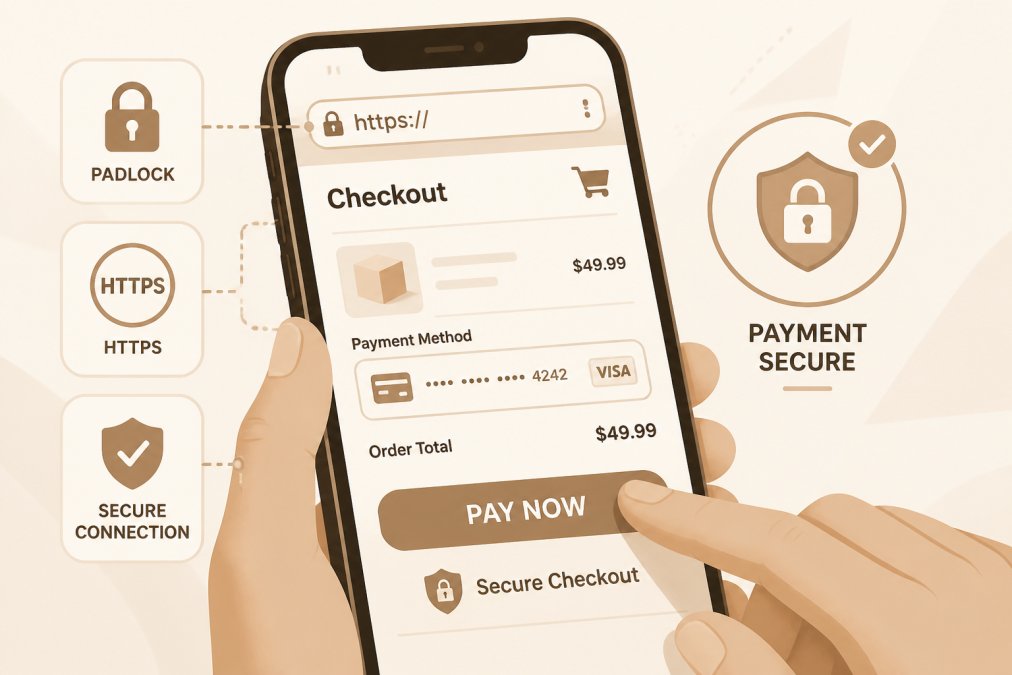
Additional checks: read the privacy policy (legitimate retailers have detailed ones), look for contact information and a physical address, and check online reviews from independent sources.
Tokenization and Fraud Detection: Your Hidden Security Layers
Beyond encryption, modern payment systems use tokenization, a process that prevents your actual card number from being stored or transmitted during checkout. When you enter credit card details, the payment processor converts that information into a random token, a unique string of characters with no value outside that specific transaction. Your real card number is stored separately in a secure vault, never touching the retailer's servers.
If a hacker breaches a retailer's database, they find tokens, which are useless for fraudulent charges. The token only works for that one transaction with that one merchant. Tokenization is why a data breach at a major retailer doesn't automatically compromise your card; the card data was never there to steal.
Fraud detection systems analyze transaction patterns in real time, looking for suspicious activity. If you normally shop from New York and suddenly a purchase appears from Nigeria, the system flags it. If someone tries to buy $5,000 worth of products when your typical order is $50, that triggers an alert. These systems use machine learning to identify fraud patterns, often catching unauthorized charges before processing.
Most fraud detection happens invisibly. When something looks suspicious, the system may ask for additional verification, like a one-time password sent to your phone or a security question only you know.
Safest Online Payment Methods in 2026
Not all payment methods offer the same level of protection.
Credit cards offer strong fraud protection because credit card companies have zero-liability policies for unauthorized charges. If someone fraudulently uses your card, you report it and charges are reversed. This protection is federally mandated under the Fair Credit Billing Act. When you use a credit card at a site with encrypted checkout, you have both encryption protection and the card issuer's fraud protection as backup.
Debit cards provide less protection than credit cards. While debit card fraud is covered under federal law, liability protection is weaker and disputing charges is slower. For online shopping, credit cards are safer.
Digital wallets like Apple Pay, Google Pay, and PayPal add an extra layer of security. When you use Apple Pay at checkout, the retailer never sees your actual card number. Instead, your device generates a one-time token specific to that transaction. This tokenization happens at the wallet level, before data reaches the retailer's encrypted checkout.
Bank transfers and ACH payments offer no fraud protection if something goes wrong. Use these methods only for established, trusted merchants.
For maximum safety, use a credit card through a digital wallet at a retailer with HTTPS encryption and a valid security certificate. This combines three protective layers: the wallet's tokenization, the retailer's encryption, and the credit card's fraud protection.
PCI DSS Compliance Requirements and What They Mean for You
PCI DSS (Payment Card Industry Data Security Standard) is a set of mandatory security requirements that every business accepting credit cards must follow. These standards are enforced by credit card companies like Visa, Mastercard, and American Express.
PCI DSS requires retailers to use strong encryption for cardholder data, maintain secure networks with firewalls, regularly test security systems, and restrict access to payment data. Retailers must also use tokenization to avoid storing full credit card numbers after transactions complete and implement multi-factor authentication for anyone accessing payment data systems.
When a retailer claims PCI DSS compliance, they've implemented these standards and passed an audit by a qualified security assessor. A compliant retailer with encrypted checkout has undergone third-party security verification and is required to notify you if a breach exposes cardholder data.
Johnny Kash & Carry Co. maintains PCI DSS compliance as part of our commitment to secure checkout, ensuring your payment information is protected by industry standards.
Mobile Checkout Security and Post-Transaction Protection
Mobile checkout introduces unique security considerations because phones have different threat vectors than desktop computers. When you use a mobile app for shopping, that app has direct access to your device's security features, biometric authentication, encrypted storage, and secure enclaves where sensitive data is isolated.
The most secure mobile checkout uses biometric authentication: your fingerprint or face recognition. When you authenticate a payment with your fingerprint, the app never transmits your biometric data to the retailer. Your device confirms you authorized the transaction, and only then does encrypted payment data get sent.
Mobile browsers (Safari on iPhone, Chrome on Android) support encrypted checkout the same way desktop browsers do. However, mobile users face different risks: public Wi-Fi networks, lost or stolen phones, and malware disguised as legitimate apps. When shopping on mobile, keep your OS updated, use strong passwords, enable biometric authentication, and avoid public Wi-Fi for sensitive transactions.
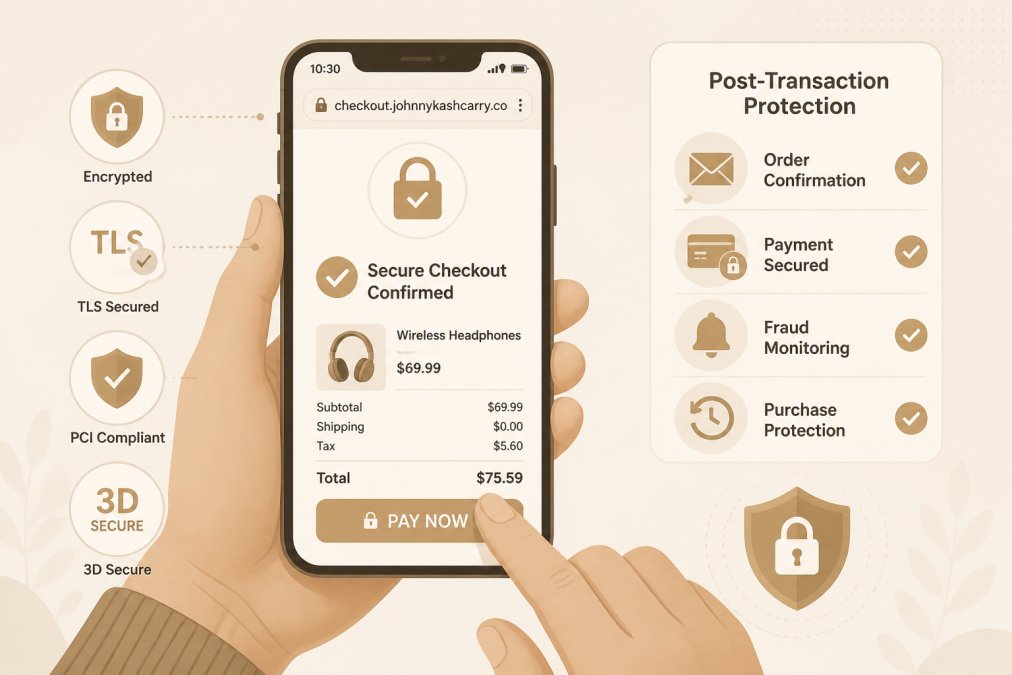
After your purchase, your data remains at risk if the retailer doesn't properly secure it. Reputable retailers delete unnecessary payment data after a certain period and don't store your full card number, keeping only a token for future reference. They encrypt any retained data and limit employee access.
Watch your account after making online purchases. Check your credit card and bank statements regularly for unauthorized charges. If you notice suspicious activity, report it immediately to your card issuer or bank.
Is encrypted checkout really safe? Yes, with important caveats. The technical protections, SSL/TLS encryption, tokenization, fraud detection, and PCI DSS compliance, are strong and well-tested. But safety depends on three factors: the retailer's implementation of these standards, your verification that a site is legitimate before entering payment data, and your post-purchase vigilance monitoring your accounts.
When you shop at Johnny Kash & Carry Co., your payment data travels through encrypted checkout protected by Shopify's security infrastructure. We maintain PCI DSS compliance, use tokenization to avoid storing unnecessary card data, and provide tracked shipping so you can monitor your order from purchase to delivery. Your peace of mind matters to us, which is why we've invested in the security standards that protect your information at every stage of the transaction.
Frequently Asked Questions
What is encrypted checkout, and how does it actually protect my credit card?
Encrypted checkout uses SSL/TLS encryption to scramble your payment data into code that only the payment processor can read. When you enter your card number, it's converted into an unreadable string of characters during transmission. Even if a hacker intercepts the data, they can't decode it without the encryption key. This process happens automatically whenever you see a padlock icon in your browser's address bar.
How can I tell if a website's checkout is secure before I enter my payment information?
Look for three key indicators: (1) A padlock icon in the address bar, (2) A URL that starts with HTTPS (not HTTP), and (3) A security certificate displayed when you click the padlock. You can also hover over the padlock to see the certificate details. Legitimate retailers, including Johnny Kash & Carry Co., display these signals. If any are missing, don't enter your payment information.
What's the safest online payment method to avoid getting scammed in 2026?
Digital wallets like Apple Pay and Google Pay offer the highest security because they use tokenization, your actual card number is never shared with the merchant. Credit cards are safer than debit cards because they offer fraud protection and you're not liable for unauthorized charges. PayPal and similar services add another layer by keeping your card details private from merchants. Avoid wire transfers and gift cards, which offer no buyer protection.
Does Johnny Kash & Carry Co. meet PCI DSS compliance requirements?
Yes. Johnny Kash & Carry Co. uses Shopify's secure checkout, which is PCI DSS compliant. PCI DSS (Payment Card Industry Data Security Standard) is the industry requirement that ensures payment processors follow strict security protocols. Compliance means your card data is encrypted, stored securely, and handled only by certified systems. This protects you from data breaches and identity theft.
This article was written using GrandRanker